Melhor Aprimorador de Vídeo: Aumente a resolução do seu vídeo para 4K/8K
 100% seguro. Sem anúncios.
100% seguro. Sem anúncios.
O Premiere Pro é uma ferramenta profissional de edição de vídeo desenvolvida pela Adobe. Ele vem equipado com todas as funções necessárias para editar e criar vídeos. Este poderoso software é amplamente utilizado por editores, YouTubers, criadores de conteúdo e cineastas em todo o mundo. Este guia explica como ele funciona. Como melhorar a qualidade de vídeo no Premiere Pro.
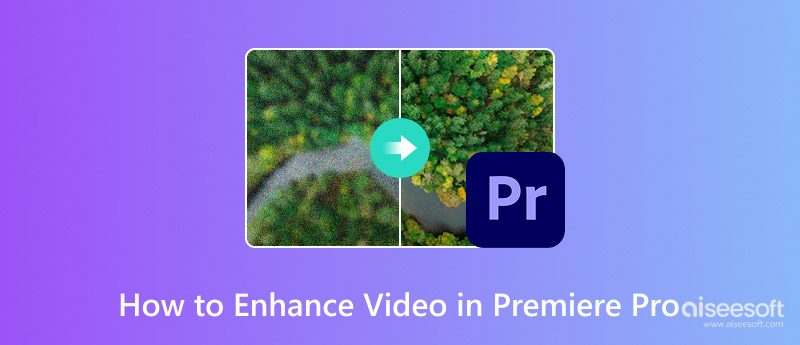
Você pode melhorar facilmente a qualidade geral corrigindo problemas comuns de vídeo, como baixa resolução, imagens desfocadas, ruído digital e cores. A primeira parte irá guiá-lo por essas correções básicas, como nitidez, ampliação e correção de cores.
O Premiere Pro possui ferramentas integradas para aprimorar rapidamente filmagens desfocadas ou com aparência suave. Você pode aplicar seus efeitos de nitidez para realçar os detalhes das bordas e melhorar a qualidade.
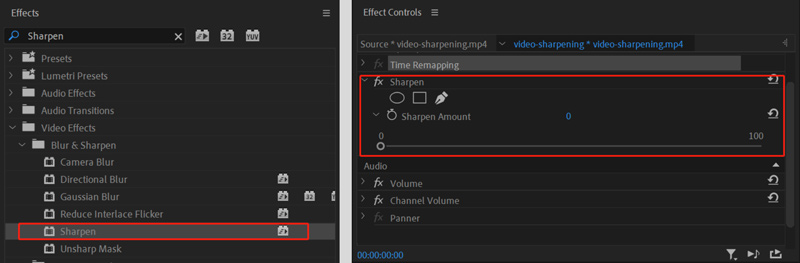
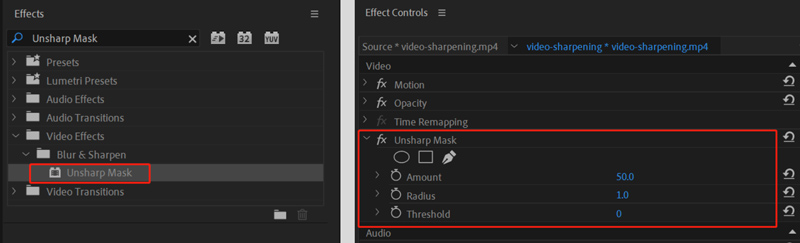
Você pode aumentar a nitidez do seu vídeo para torná-lo mais claro. Para um controle mais preciso, você pode aplicar o efeito "Máscara de Nitidez". Ele oferece três parâmetros para melhor controlar a intensidade da nitidez e aprimorar a qualidade.
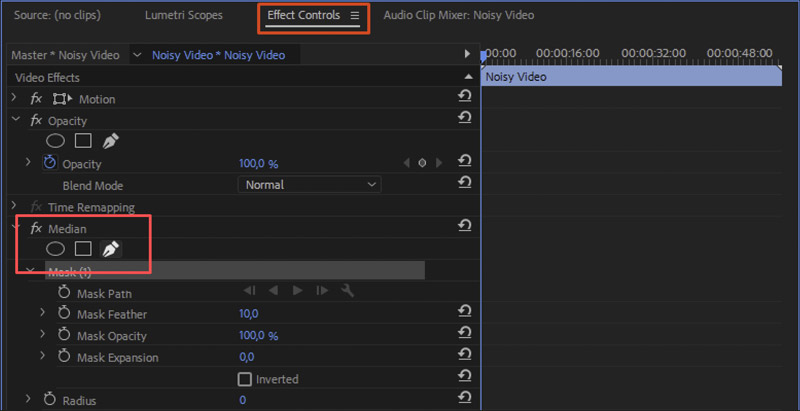
O Premiere Pro não possui uma função dedicada de "Redução de Ruído" para lidar com imagens granuladas ou ruidosas. Para obter resultados semelhantes na redução de ruído, você pode usar a função de edição de áudio. Mediana efeito. Da mesma forma, você pode encontrar o efeito em Efeitos de Vídeo. Quando localizar Mediana, aplique-o ao seu clipe.
Observe que o Premiere Pro inclui um DeNoise Recurso para reduzir o ruído de fundo na sua faixa de áudio. Você pode encontrá-lo em Efeitos de áudio > Redução/Restauração de ruído.
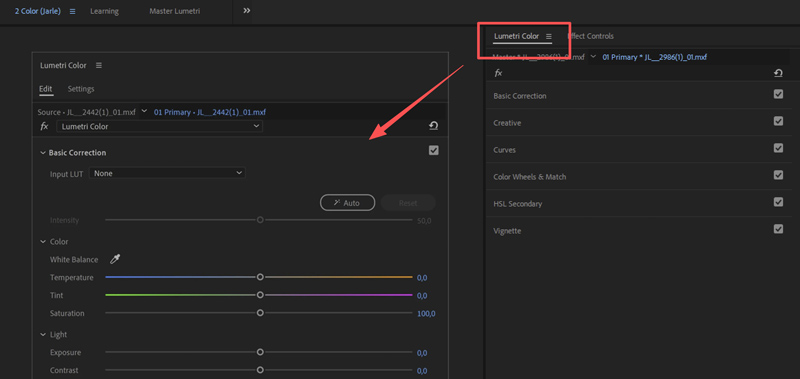
A correção de cores pode ajudar a resolver problemas e alcançar uma aparência natural. Acesse Cor Lumetri Para acessar opções relacionadas. O painel é o seu centro de controle para todo o trabalho com cores.
Comece no Correção básica Você pode usar a guia para corrigir problemas de balanço de branco, saturação, exposição e outras cores. curvas Para ajustes avançados. Por exemplo, as “Curvas RGB” permitem personalizar e controlar o contraste e o brilho com precisão.
Depois de dominar esses conceitos básicos, você pode começar a usar técnicas avançadas para otimizar ainda mais seu fluxo de trabalho e aprimorar seus vídeos. Crie um Camada de ajuste Coloque-a sobre os clipes na sua linha do tempo. Em seguida, aplique vários efeitos a essa camada. Isso pode ajudar a criar uma aparência consistente e facilitar ajustes globais.
Embora o Premiere Pro seja poderoso, ele não foi projetado principalmente para aprimoramento de vídeo. Ferramentas dedicadas de IA geralmente conseguem produzir resultados superiores com menos esforço, especialmente em tarefas como aumento de resolução. correção de corAlém disso, ao escolher um programa de aprimoramento de vídeo, você também deve se preocupar com o custo. O Premiere Pro é bastante caro, custando US$ 22.99 por mês. Não é a opção ideal para a maioria dos usuários.
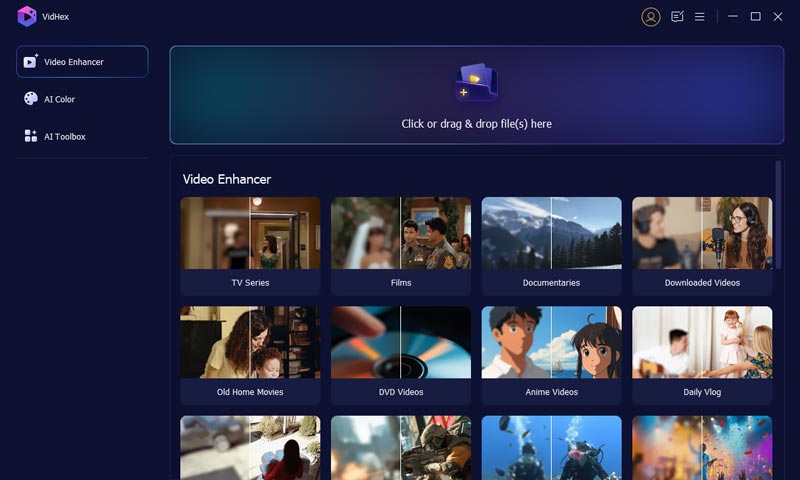
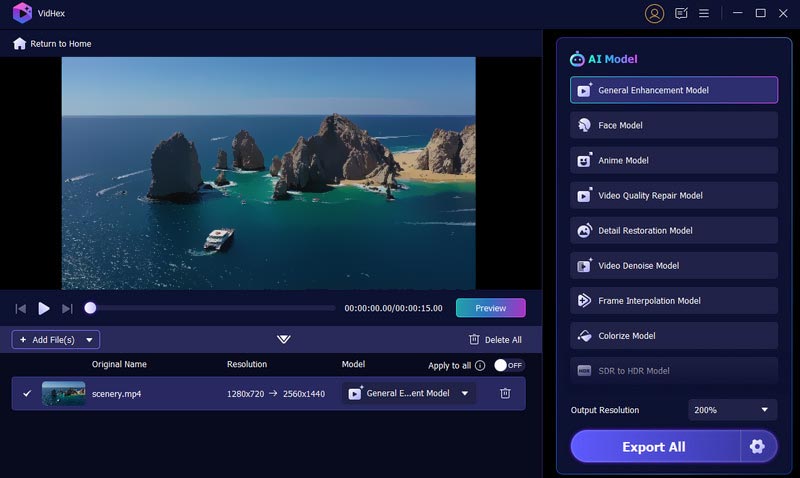
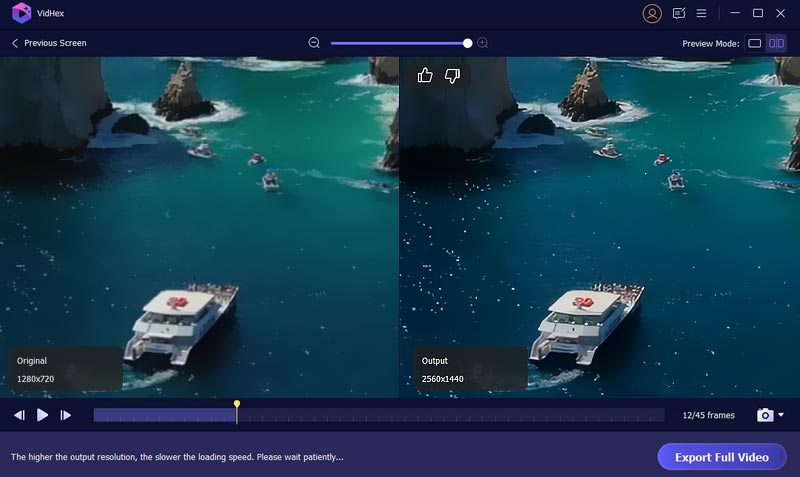
Se você precisa de uma alternativa ao Premiere Pro para aprimorar seus vídeos, comece com uma opção de boa reputação. Aiseesoft VidHexO software é reconhecido por suas excepcionais capacidades de aprimoramento e redução de ruído em vídeos. Além disso, oferece diversos modelos de IA treinados para diferentes tarefas de aprimoramento, incluindo interpolação de taxa de quadros, desentrelaçamento, correção de cores e redução de ruído em vídeos.
100% seguro. Sem anúncios.
100% seguro. Sem anúncios.
Pergunta 1. Como tornar um vídeo desfocado mais nítido no Premiere Pro?
O Adobe Premiere Pro oferece diversos métodos eficazes para ajudar a melhorar a nitidez de vídeos pixelizados ou desfocados. Primeiro, você pode aplicar o efeito Nitidez integrado à sua filmagem para uma correção rápida. Além disso, utilize ferramentas mais avançadas, como Máscara de Nitidez e Lumetri Color, para aumentar a nitidez do seu vídeo desfocado. Adicionalmente, diversos plugins de terceiros podem ser usados com o Premiere Pro para aprimorar a nitidez dos vídeos.
Pergunta 2. Como converter um vídeo de baixa qualidade para uma qualidade superior?
Quando você precisa melhorar a qualidade dos vídeosVocê deve usar um aprimorador com inteligência artificial. É crucial entender que os editores tradicionais não conseguem criar informações que não existiam antes. Nesse caso, eles não gerarão uma melhoria real na qualidade. Você pode usar tecnologia moderna de IA (como o VidHex) para analisar de forma inteligente a filmagem original e reconstruir como seria o detalhe ausente. Os resultados finais do aprimoramento podem ser dramaticamente melhores.
Pergunta 3. Qual é o melhor aprimorador de vídeo gratuito?
Você deve selecionar a ferramenta "ideal" com base nas suas necessidades específicas de aprimoramento. Por exemplo, você deve decidir se deseja melhorar a nitidez de imagens desfocadas, aumentar a resolução, corrigir cores ou realizar outros aprimoramentos. Além disso, você precisa selecionar um aprimorador de vídeo adequado dependendo se está trabalhando em um computador ou em um celular. Alguns excelentes aprimoradores de vídeo gratuitos incluem CapCut, Remini, Picwand AI Video Enhancer, YouCut Video Editor e Video2X.
Conclusão
O Premiere Pro oferece diversas funções para transformar filmagens brutas em conteúdo refinado e de alta qualidade. Você pode aprender a Aprimore a qualidade de vídeo no Premiere Pro A partir desta página. Se você não possui o software da Adobe, pode acessar diretamente a alternativa recomendada para aprimoramento de vídeo com IA. Ela é mais adequada para lidar com as tarefas mais exigentes.
 Aprenda a estabilizar seu vídeo no Adobe Premiere Pro
Você pode estabilizar um vídeo no Premiere Pro? O Premiere Elements oferece boa estabilização? Confira o guia detalhado sobre como estabilizar vídeos no Premiere.
 O que devemos fazer para alterar o tamanho da imagem no Premiere Pro
Leia nosso guia se quiser saber como alterar o tamanho da imagem no Premiere Pro. Forneceremos o guia mais detalhado e outra ferramenta para iniciantes.
 Transição do Premiere Pro: explore efeitos, como importar e alternativas
Mergulhe em um mundo onde as transições do Premiere Pro são indispensáveis para a produção de vídeo, tornando a transição ainda mais suave como alternativa.
VidHex é um aprimorador de vídeo com tecnologia de IA que aumenta a escala, reduz o ruído, colore, estabiliza e melhora a qualidade do vídeo em 1 clique.
100% seguro. Sem anúncios.
100% seguro. Sem anúncios.

*Campo obrigatório
*Por favor, insira um e-mail válido