
Destaque: All-in-one conversion and editing suite that supports 1000+ formats and 4K/8K conversion.
Converter vídeo Ultimate
 100% seguro. Sem anúncios.
100% seguro. Sem anúncios.
“I get some MP4 videos and want to convert them to AMV for my player. Is there a free AMV file converter? I tried converting AMV online, but it took too much time. Any simple and quick way to convert?”
For various reasons, you need to convert AMV. For instance, you may need to convert videos to AMV for your MP3/MP4/MTV player. Or you have to convert AMV to MP4, AVI, MP3, etc., due to the unsupported format issue. It is quite easy to convert AMV format as long as you get a good AMV converter.
The good thing is that lots of video converting tools, including many free online ones, are available. You can use them to make the AMV file conversion with ease. In case you don’t know which AMV converter you should choose, here we make a list of the 5 melhores conversores AMV para você.
How to Choose The “Best” AMV Converters
| Conversor AMV | Mais Adequada Para | Plataforma | Qualidade de saída | NOTA | Preços |
| Video Converter Ultimate | All-in-one professional video conversion & editing | Windows, mac OS | High (No quality loss) | 4.8/5 | Freemium/Pago |
| Aiseesoft Free Online | Quick, free online conversions | Online (Browser) | Boa | 4.2/5 | Gratuito |
| Conversor de Vídeo Program4Pc | Converting for a wide array of devices (300+) | Not Specified (Likely Windows) | Alto | 4.5/5 | Freemium/Pago |
| Convert.Files | URL to AMV conversion | Online (Browser) | Padrão | 4.4/5 | Gratuito |
| AMV Video Converter 4.15 | AWV conversions on older PCs | Windows XP/2000/Vista only | Básico | 4.1/5 | Gratuito |
Destaque: All-in-one conversion and editing suite that supports 1000+ formats and 4K/8K conversion.
Ponto:4.8/5
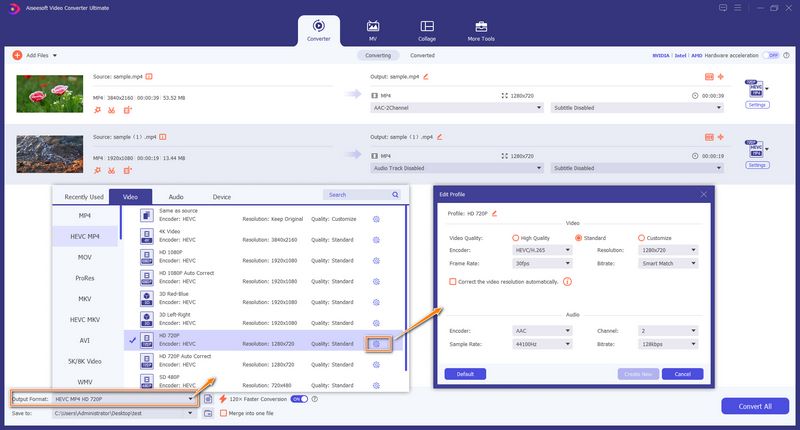
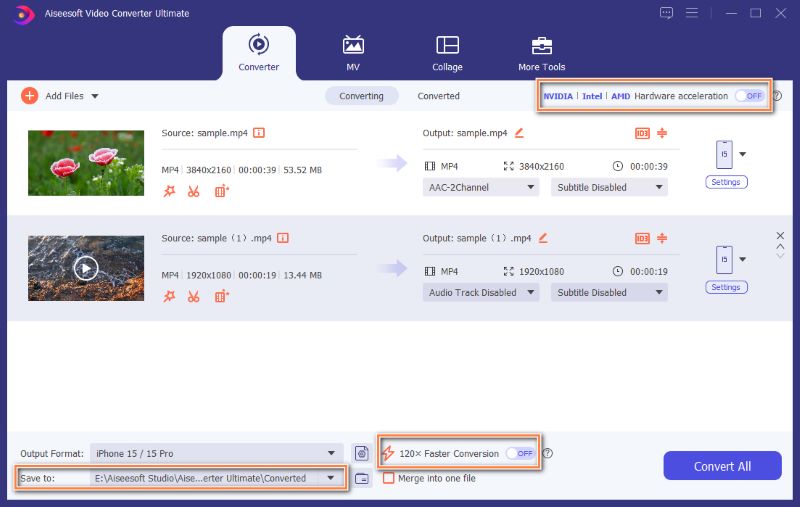
Aiseesoft Video Converter Ultimate is a very popular and reputable video/audio conversion, editing, and enhancement tool. Now, multiple AI-powered tools are updated to the software, effectively improving the overall capabilities. As an AMV converter, it lets you convert MP4/AVI/M4V to AMV, or convert AMV to another preferred format with no quality loss. Actually, it is an AI video enhancer that allows you to upscale resolution and enhance the final output quality.
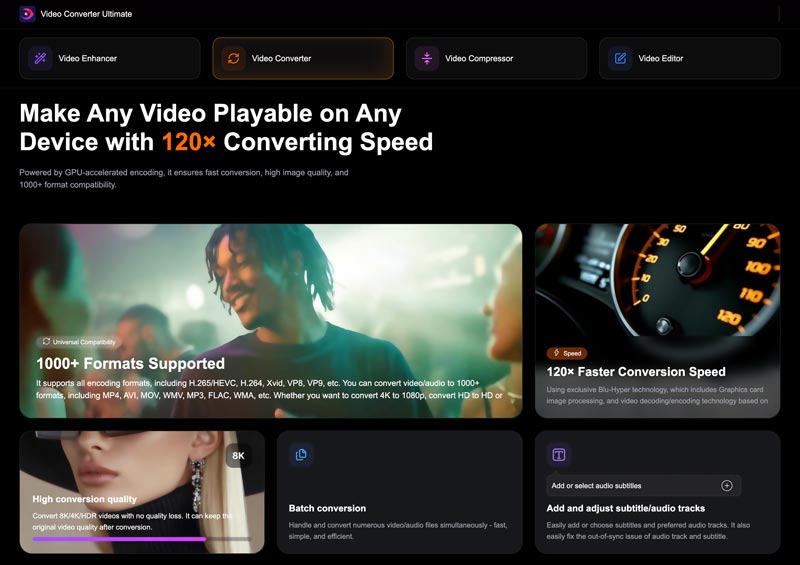
Principais pontos fortes: Extremely fast conversion speeds (120x faster), batch processing, and built-in AI-powered video enhancement tools.
Prós
Contras
Downloads
Converter vídeo Ultimate - Melhor Conversor AMV
100% seguro. Sem anúncios.
100% seguro. Sem anúncios.
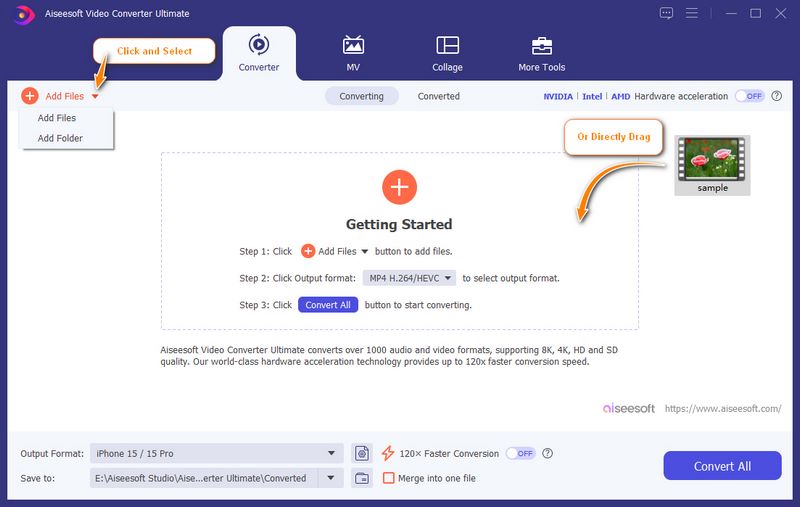
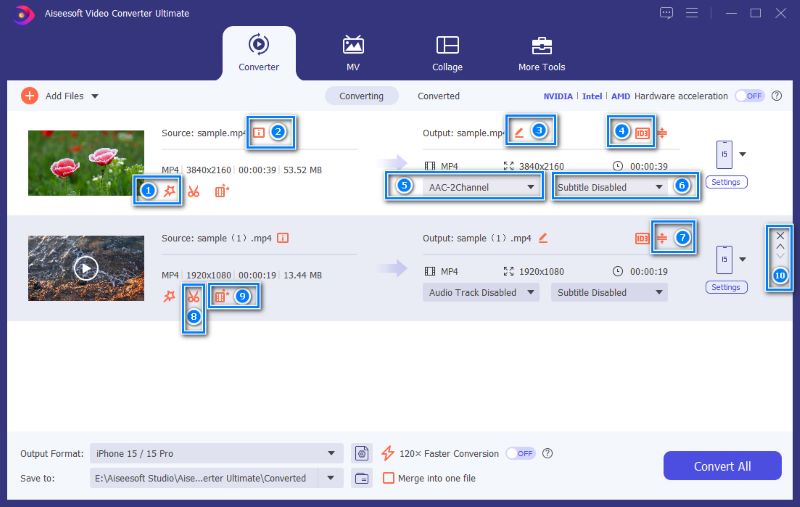
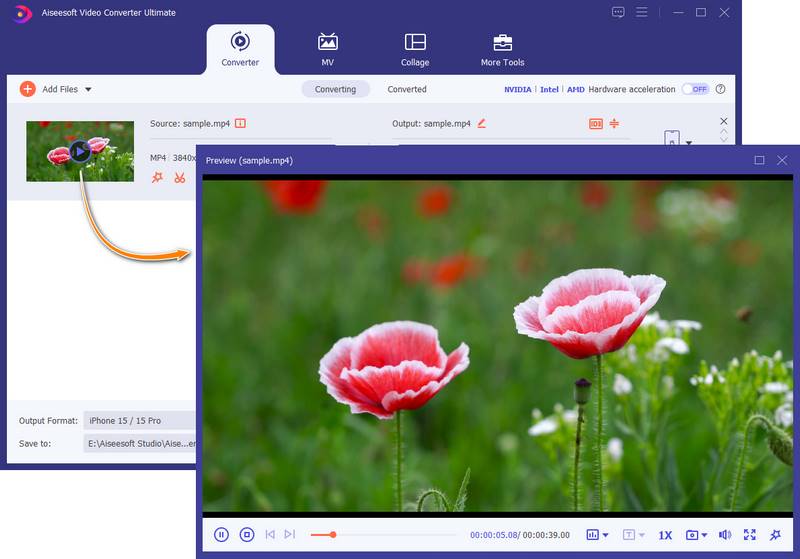
There is a built-in media player designed into this AMV converter. You can directly view the file, edits, and effect changes.
Destaque: Free, web-based converter to easily access and start AMV conversions.
Ponto:4.2/5
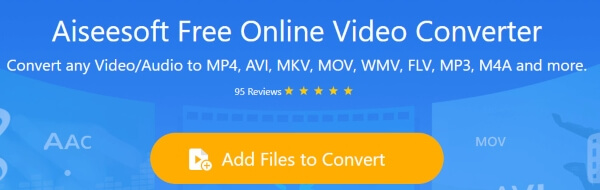
Aiseesoft Conversor de Vídeo Online Gratuito é uma ferramenta online gratuita de conversão de AMV que pode ajudá-lo a converter AMV para MP4, MP3 e outros formatos de vídeo/áudio. Ele fornece uma maneira muito conveniente e simples de converter o formato AMV. Basta baixar o iniciador do conversor, carregar o arquivo AMV e escolher um formato de saída adequado, você pode concluir a conversão AMV. Além disso, permite criar imagens GIF animadas a partir dos vídeos AMV com ajuste opcional da resolução do vídeo, taxa de bits, etc., até mesmo o arquivo AMV grande pode ser compactado em um arquivo pequeno.
Prós
Contras
Destaque: Offers over 300 preset profiles for different devices, making it easy to get the right specs for specific players.
Ponto:4.2/5
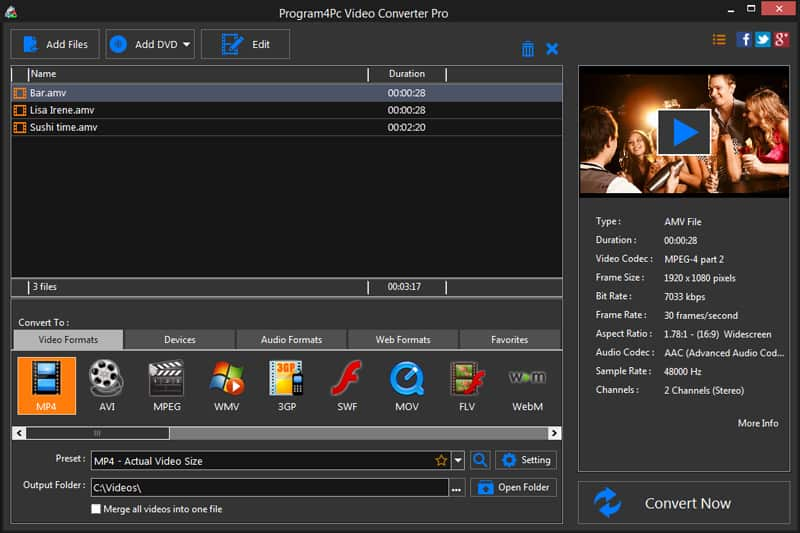
Conversor de Vídeo Program4Pc é o poderoso software de conversão de vídeo que pode ajudá-lo a converter o formato AMV. Ele tem a capacidade de converter mais de 300 formatos de vídeo e áudio para seus dispositivos móveis, como iPhone, iPad, iPod e dispositivos Android.
Semelhante ao Video Converter Ultimate, o Program4Pc também traz alguns recursos básicos de edição. Você pode editar seu arquivo de mídia antes da conversão final. Além disso, oferece uma maneira simples de converter vídeo AMV. Basta carregar o vídeo e escolher um formato de saída adequado, você pode concluir a conversão de vídeo AMV.
Prós
Contras
Destaque: Converts online URLs directly to AMV or another format without downloading the source file first.
Ponto:4.2/5
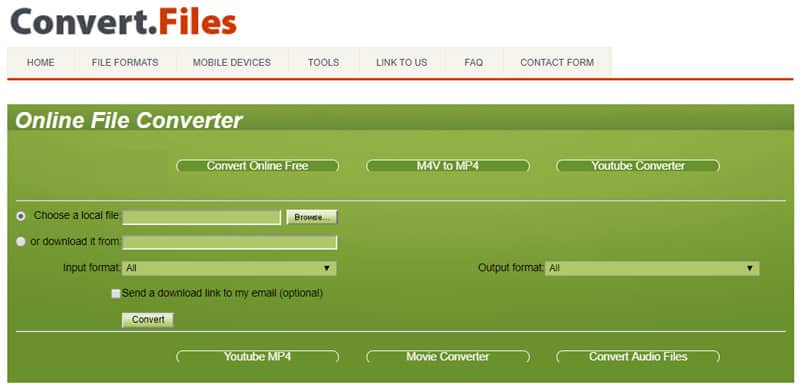
Convert.Files é outro conversor online gratuito de vídeo para AMV. Ele oferece uma maneira instantânea de fazer a conversão de vídeo para AMV. Certamente, você pode usá-lo para converter AMV para MP4, MP3, AVI e outros formatos de vídeo/áudio usados com frequência. Além de arquivos locais, permite converter URL em AMV. Nesse caso, você pode facilmente baixar o vídeo online e convertê-lo em AMV.
Prós
Contras
Destaque: Lightweight utility designed for older Windows systems and the original AMV codec requirements.
Ponto:4.1/5
AMV Video Converter é uma ferramenta de conversão gratuita para usuários do Windows converterem vídeos AMV. É compatível com sistemas operacionais Windows como Windows XP/2000/2003/Vista. Este conversor AMV permite que você converta AVI, WMV, M4V, MOV e MP4 para AMV com facilidade. Embora este conversor de player AMV forneça uma maneira fácil de converter o formato AMV, ele não pode ser usado em computadores Mac ou Windows 10/8/7.
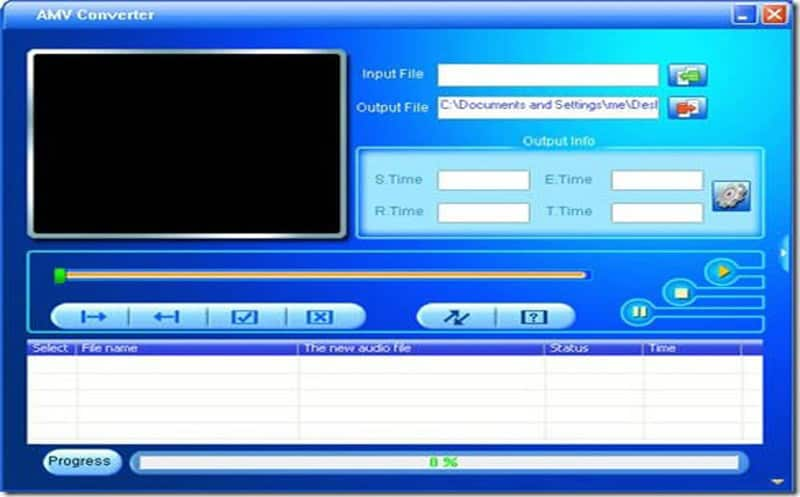
Prós
Contras
Question 1: Is AMV the same as AVI?
No, AMV and AVI are different video formats. AMV is a proprietary video file format designed for older portable media players. It is a modified version of the AVI container. However, the AMV format uses a simplified compression method for playback on weak processors.
Question 2: How to watch AMV files?
You can use the introduced AMV converters above to convert your AMV files for playing on your devices. If you prefer to directly view them, use a powerful media player like VLC, PotPlayer, or MPC-HC.
Question 3: What software is used for AMVs?
Many related editing, playing, or conversion tools support AMV files. As mentioned, you can use the recommended AMV converters to convert them. If you want to watch AMV files, turn to VLC or PotPlayer. If you look for an editor, you can choose Video Converter Ultimate, Premiere Pro, or DaVinci Resolve.
Conclusão
Nós falamos principalmente sobre o Conversor AMV on this page. Five reliable AMV video converters are recommended for you to make the conversion. You can easily find what you need, whether you want a free online AMV converter or a professional one. Please share it with other readers if you have any better AMV converter recommendations.
 A maneira mais simples de converter vídeos para HD com resolução 4K/1080p/720p
Você pode facilmente obter seu vídeo com alta qualidade depois de convertê-lo em vídeo HD 4K ou 1080p. Leia este artigo e obtenha o caminho.
 Baixe grátis os 5 melhores reprodutores de vídeo HD para Windows 10/8/7/XP e Mac
Qual é o melhor reprodutor de vídeo HD? Esta postagem lista os 5 melhores aplicativos de reprodutor de vídeo Full HD (reprodutor de vídeo 1080p/720p) para ajudá-lo a reproduzir arquivos de mídia em computadores Windows 10/7/8/XP e Mac com excelente experiência visual.
 10 Melhores Conversores de Vídeo Online para Conversão FLV Gratuita
Leia e obtenha um dos melhores freewares conversores de FLV deste artigo. Além disso, existem outros 10 conversores FLV online gratuitos aqui.
Sobre AMV
1.1 Melhores aplicativos de criação de AMV1.2 Como Fazer AMV no Computador1.3 Como fazer AMV no iPhone/iPad1.4 Como usar o Windows Movie Maker1.5 AMV - O que é AMV1.6 Melhores aplicativos de edição de AMV1.7 Os 5 principais conversores de AMV
O Video Converter Ultimate é um excelente conversor, editor e aprimorador de vídeo para converter, aprimorar e editar vídeos e músicas em 1000 formatos e muito mais.
100% seguro. Sem anúncios.
100% seguro. Sem anúncios.

*Campo obrigatório
*Por favor, insira um e-mail válido