Converter vídeo Ultimate
 100% seguro. Sem anúncios.
100% seguro. Sem anúncios.
Qual é a diferença de 4 mil versus 8 mil? Is it worth buying an expensive 8K device? Is 8K better than 4K? You might ask this question while reading complex descriptions on TV or display screen shopping pages. Actually, you just need to know a few key points about them. Then, you can choose without hesitation. This article will help you learn more about them and make a better choice.
Below are the main differences in specifications between 4K and 8K:
| 4K | 8K | |
| Resolution (pixel count) | 3840×2160(8.3 million pixels) | 7680×4320 (33.2 million pixels) |
| Largura de Banda | 15–25 Mbps (streaming, compressed) | 50–100 Mbps+ (depending on codec) |
| Bitrate (60fps H.265 video) | 80-100 Mbps | 320-400 Mbps |
| Conclusão | The resolution, file size, and bandwidth required to transmit 8K are all four times those of 4K. | |
In terms of visual effects, 4K already looks very clear to the naked eye, with sharp details, and is perfectly sufficient for watching movies, TV shows, or playing games in daily life. 8K images, however, are even more refined, with pixels almost invisible, and textures, hair, skin, and distant scenes looking more realistic, providing a greater sense of immersion.
Why might you not be able to see the difference?
When it comes to buying, what you’re probably most concerned about is the difference in picture quality and viewing experience. In fact, you can hardly notice a difference, and the following is the reason.
Due to the resolution limit of the human eye, its ideal visual acuity is approximately 1 arcminute (≈ 1/60 degree). This means two points will be perceived as one if their angular separation in your field of view is smaller than 1 arcminute.
A construção do XNUMXº e XNUMXº pavimentos pôde ocorrer de forma simultânea, pois não houve necessidade de aguardar a cura do concreto – permitindo que todas as frentes de trabalho e especialistas em pisos ESD atuassem nos dois níveis ao mesmo tempo. Lechner distance is the critical viewing distance at which two adjacent pixels become indistinguishable to the human eye. Beyond this distance, higher resolution no longer produces a visible improvement.
Take a common 65-inch 4K TV as an example: at a typical viewing distance of 2.5–3 meters in a living room, the angular size of pixels already approaches the human eye’s limit. If the resolution is upgraded to 8K under the same conditions, the pixel angle falls below the eye’s resolution threshold, making it difficult to perceive a noticeable improvement in image quality.
Therefore, 8K resolution only delivers a clear visual benefit when the viewing distance is shortened, or a larger screen is used — such as screens above 85 inches, or when sitting within 1 meter of the display.
Beyond pixel count, in my personal experience, the difference between 4K and 8K is far more noticeable on simple, static yet detail-rich video content. For instance, in close-up facial shots in TV dramas, 8K displays skin texture, pores, and hair with striking clarity—almost like seeing a face in real life, especially at close viewing distances. In nature documentaries, 8K faithfully reproduces the subtle color shifts and soft, cloud-like edges of pale white mist drifting over fields. These delicate details are hard to distinguish in 4K but come to life vividly on an 8K TV.
Beyond viewing experience differences, the following comparison about buying can help you make a better decision.
As mentioned earlier, 4K and 8K can look similar to the naked eye, yet 8K has 4× more pixels than 4K. Below, I analyze other key differences between 4K and 8K cameras.
Turning a 4K video into 8K is more than just upscaling—you’re not creating new, real detail, but you can make it look cleaner and more natural on 8K displays if you do it right. Here’s the practical breakdown, from simple to pro-level.
If you just want to watch, not edit, most 8K TVs already upscale 4K automatically using built-in AI chips.
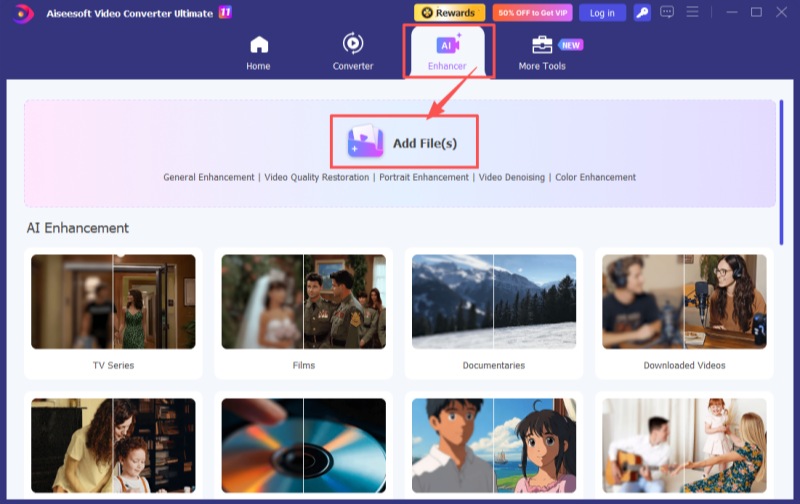
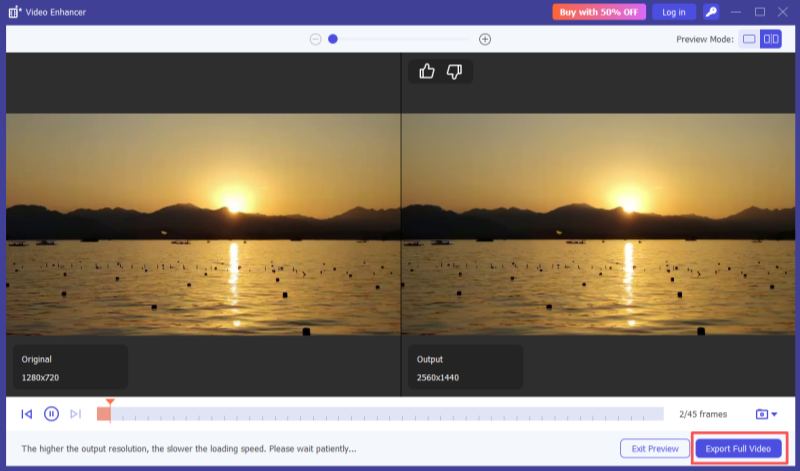
If you want to edit and enhance a video, AI-based upscaling software can be used to improve visual quality. These tools analyze motion vectors, edge structures, and texture patterns to guide the reconstruction of higher-resolution frames.
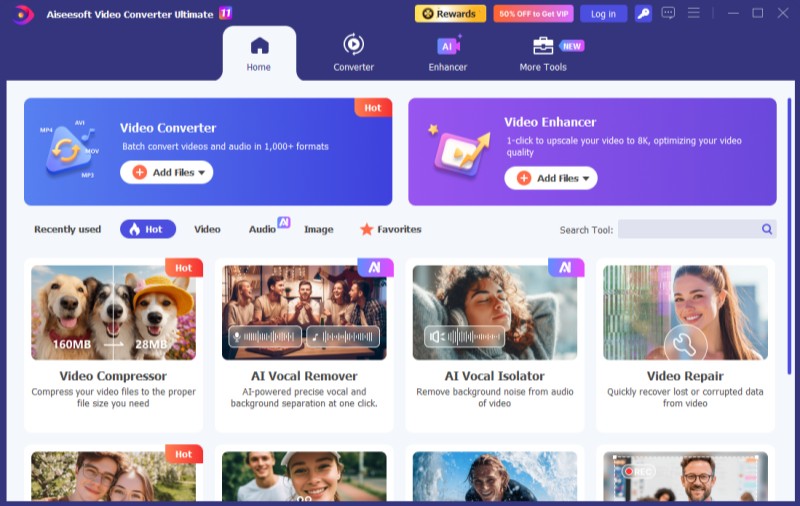
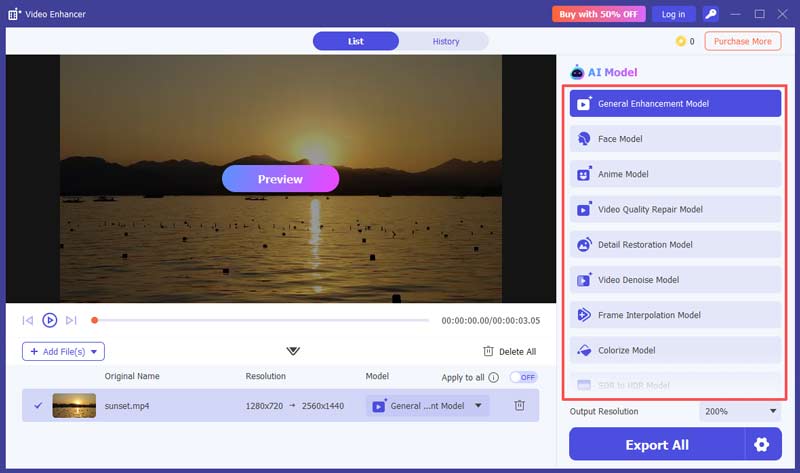
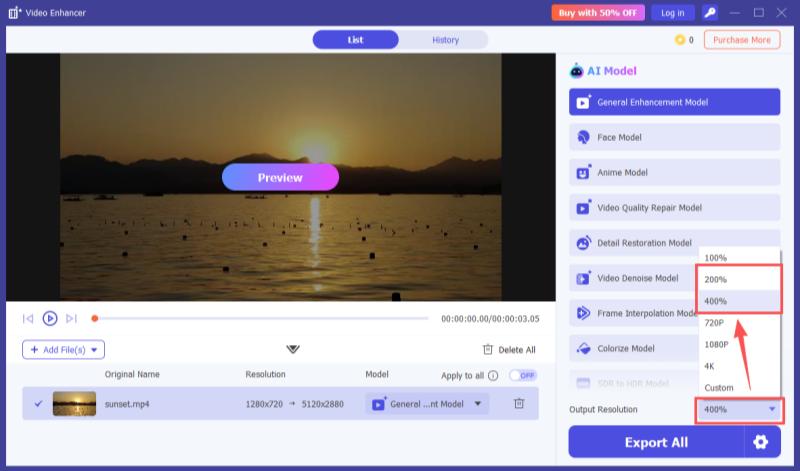
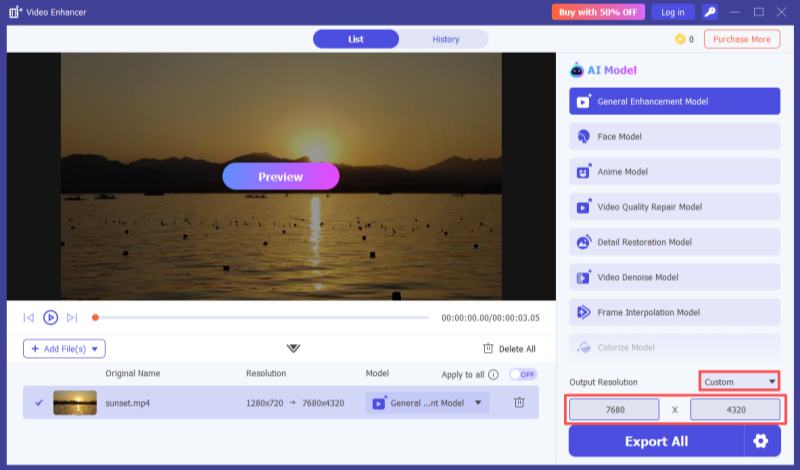
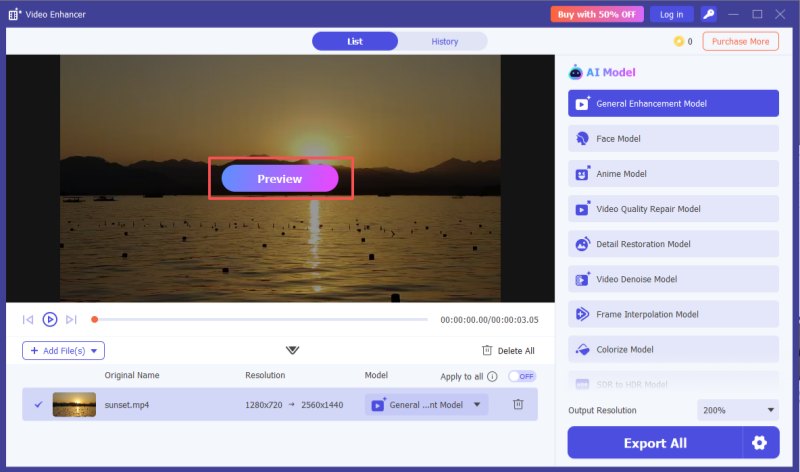
Aiseesoft Video Converter Ultimate is a video enhancement software that integrates AI-based video upscaling capabilities. It can increase video resolution while using AI models to reconstruct missing pixel details during the upscaling process. This results in improved visual clarity, smoother motion, and enhanced edge definition.
The software provides 11 AI models designed for different enhancement tasks, including a Video Quality Repair Model, Video Denoise Model, Frame Interpolation Model, Colorization Model, SDR to HDR Model, Video Stabilization Model, and others.
100% seguro. Sem anúncios.
100% seguro. Sem anúncios.
With just a few steps, you can use it to edit and finish your video.
Can 8K TVs play 4K content?
Yes—and often with better quality. 8K TVs are backward‑compatible with 4K, 1080p, and lower‑resolution sources. Most models use AI upscaling (e.g., Samsung Neo Quantum Processor, Sony XR chip) to enhance 4K content toward near‑8K sharpness, improving detail and depth. You can play 4K via an HDMI 2.1 connection to a 4K player/set‑top box or stream directly from platforms, with no extra adapters needed.
How much internet speed do you need for 8K?
Bandwidth depends on encoding, frame rate, and bitrate:
• Streaming (Netflix, YouTube): HEVC / AV1, 80–100 Mbps → ≥100 Mbps recommended
• Live events (sports) & high‑bitrate sources: 100–150 Mbps → ≥200 Mbps recommended
• Multi‑device home usage: May exceed 150 Mbps → ≥500 Mbps or gigabit internet
4K or 8K for a 75‑inch TV in 2026?
High‑end 4K (Mini LED / OLED + high refresh rate + wide color gamut) is more practical, offering a better balance of value and real‑world performance.
Conclusão
This article introduces the key differences of 4 mil versus 8 mil: they differ significantly in resolution, screen size compatibility, content resources, hardware requirements, and cost, but the perceived visual gap is minimal in daily use. For most people, 4K is the more practical choice unless you have high professional demands for image quality. In addition, Aiseesoft Video Converter Ultimate is a good option for upscaling low-resolution videos to 8K.
 HDR vs 4K: Qual a diferença e qual você deve escolher?
O artigo "HDR vs 4K" explica como essas tecnologias diferem em cor, resolução e desempenho para ajudar você a decidir qual oferece a melhor experiência de visualização.
 Um guia Passo a Passo para converter vídeo para qualidade 4K [2025]
Este post ofereceu vários métodos para transformar vídeo em resolução 4k. Confira nosso post e descubra a melhor maneira de converter vídeo e melhorá-lo para qualidade 4k.
 5 principais upscalers de vídeo 4K AI: recursos, prós, contras e muito mais
Existem 5 upscalers de vídeo 4K AI usados com mais frequência. Cabe a todos? Temos tudo o que você deseja saber sobre isso. Vamos dar uma olhada!

O Video Converter Ultimate é um excelente conversor, editor e aprimorador de vídeo para converter, aprimorar e editar vídeos e músicas em 1000 formatos e muito mais.
100% seguro. Sem anúncios.
100% seguro. Sem anúncios.

*Campo obrigatório
*Por favor, insira um e-mail válido